Your CCTV Already Sees the Hazard: How Flagman Turns Existing Cameras into AI Safety Sensors
AI on existing CCTV can turn the cameras already over your docks and production lines into live safety sensors. See where Flagman detects people in danger zones, and its limits.
In brief
- The problem: most Australian factories and warehouses already run CCTV, but the footage is usually reviewed only after someone is hurt. Two recent SafeWork NSW incident releases, a hand amputation at a food preparation business and a foot crushed under a walkie reach stacker, describe hazards that sit in plain view of a typical site camera.
- The requirement: NSW law expects risks to be controlled in the order of the hierarchy of controls, and any camera use at work must also meet the NSW Workplace Surveillance Act 2005.
- The solution: Flagman AI vision can run on suitable existing IP cameras, processing video on site to detect people in restricted zones and around plant, then raise alerts and log events.
- The outcome: cameras that only recorded the past start producing live warnings and near miss data, without replacing guarding, isolation or traffic separation.
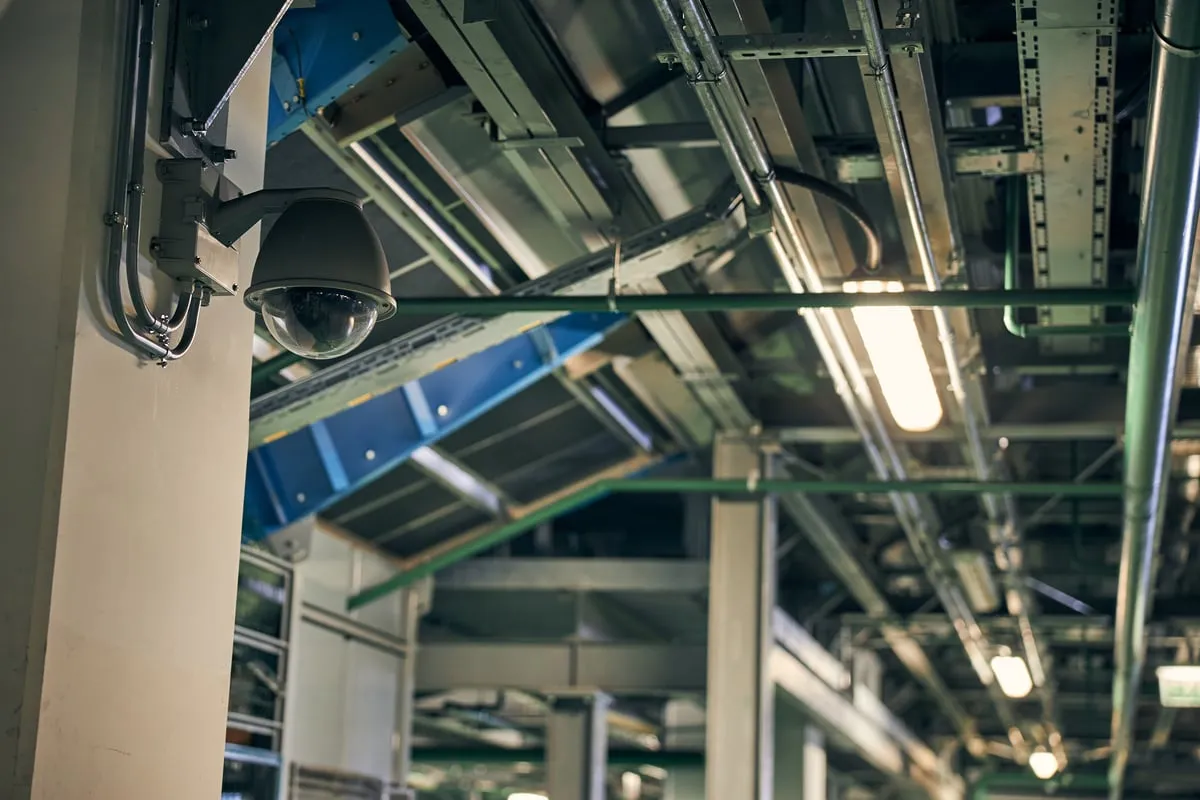
Walk through almost any manufacturing plant or distribution centre in New South Wales and look up. Cameras cover the docks, lines, aisles and gates. Most were installed for security, and few are watched in real time.
When something goes wrong, someone pulls the footage. The camera saw the hazard, but nobody was told until it was too late. This article looks at how AI on existing CCTV can change that, and where it cannot.
The problem: hazards that cameras already see
On 11 November 2026, SafeWork NSW published an incident information release about a young worker at a food preparation business who suffered a hand amputation on 8 October 2026. The worker was preparing vegetables with a benchtop meat grinder when their hand entered the feed chute and contacted the motorised screw auger. The regulator’s recommendations include guarding, pusher tools so hands stay out of the feed chute, and close supervision of new and inexperienced workers.
A separate release, published on 3 September 2026, describes a warehouse worker moving palletised stock with a walkie reach stacker on 19 April 2026. As the machine turned while travelling in reverse, the worker’s boot was caught under the machine’s skirt and their foot was crushed. SafeWork NSW pointed to operator training, body position within the manufacturer’s limits, a traffic management plan and good housekeeping.
Safe Work Australia’s Key Work Health and Safety Statistics 2025 reports 146,700 serious workers’ compensation claims in 2023 to 2024 (preliminary), with 16.0% caused by being hit by moving objects. Manufacturing accounted for 14,800 serious claims, and transport, postal and warehousing for 10,400.
The requirement: controls first, and lawful camera use
The SafeWork NSW Code of Practice for managing the risks of plant sets out the order for guarding: a permanently fixed barrier, then an interlocked barrier, then a barrier removable only with a tool, and only then a presence sensing safeguarding system. The same code warns that administrative controls and personal protective equipment do not control the hazard at the source and, used on their own, tend to be the least effective.
Cameras at work also carry their own legal duties in New South Wales. Under the Workplace Surveillance Act 2005, employees must be given written notice at least 14 days before camera surveillance starts, cameras must be clearly visible, and signs must be displayed. NSW Government guidance summarises the same requirements. Turning an existing security camera into a safety sensor is a change of purpose, so it should be reflected in the notice, the site policy and consultation with workers and health and safety representatives. Our earlier article on using AI safety cameras without privacy risk covers this in more detail.
Why existing controls leave a gap
Guards get removed for cleaning and not refitted. Pusher tools go missing. People cut across marked walkways. Supervisors cannot watch every station, especially on night shift.
CCTV watches all of this, every shift, but has no way to tell anyone. Footage review is reactive and almost never done for near misses, so the close calls that would show a control is failing are recorded, then overwritten.
The solution: how Flagman turns existing cameras into safety sensors
Flagman is AI detection and early warning designed to strengthen the controls a site already has. It works with ONVIF IP cameras, as well as USB and GMSL cameras, so many sites can start with cameras already mounted over the hazard. Video is processed on site at the edge, with no cloud or internet connection needed.
- Restricted zone detection: draw a zone around a feed chute, a machine danger area, a racking aisle or a loading bay, and Flagman alerts when a person enters it.
- People and mobile plant: detect pedestrians near forklifts and walkie stackers in shared areas and warn both parties.
- Hand and finger zones: a “no hand zone” can be set over a point of operation, as described in our article on hand and finger injury prevention on saws and rollers.
- PPE detection: check for required items such as high visibility clothing in defined areas.
- Outputs: relay outputs for lights and sirens, PLC integration over Modbus and PROFINET, time-stamped video event logs and a central dashboard. Where the machine’s controls allow, Flagman can send a slow or stop signal.
For the meat grinder scenario, a camera over the bench could alert a supervisor when a hand enters the zone above the feed chute, and record each event so missing pusher tools are noticed in days, not after an injury. For the walkie stacker, a camera over the aisle could warn when a person is inside a defined clearance area while the machine is moving.
Limitations: what Flagman cannot do
- Not every existing camera will be suitable. Position, angle, lighting, resolution and network capacity must be assessed for each use case, and some areas will need a new or relocated camera.
- Flagman is not a certified presence sensing safeguarding device and has no published Performance Level or Safety Integrity Level rating. It does not replace fixed guards, interlocks, isolation or lockout.
- It is not a lockout or isolation device, and it must not be used to justify working on energised plant.
- It is not certified for hazardous areas or explosive atmospheres, and detection depends on line of sight: stock or racking can hide a person.
- Any camera use must comply with workplace surveillance and privacy law. The default Australian configuration is people, vehicle and PPE detection, not facial recognition.
Predictive maintenance: when plant condition becomes the hazard
Many of these incidents start with equipment, not behaviour. A guard with a worn interlock, a feed chute missing its guard after cleaning, or a stacker with faulty brakes or a damaged skirt changes the risk long before anyone is hurt. SafeWork NSW’s walkie stacker release specifically calls for recorded inspection and maintenance programs carried out by a competent person.
Predictive maintenance links condition data, such as fault codes, run hours and inspection results, to planned work before failure. Flagman events add a safety signal to that picture: a rise in zone entries at one machine can point to a guard that keeps being removed or a task that has become harder to do safely. Sharktech Global builds Business Intelligence dashboards that bring maintenance, downtime and safety data together, including Flagman events, so production, maintenance and safety teams look at the same evidence.
A practical plan for using existing CCTV
- Map hazards to cameras. List the top five hazards from your risk register and incident history, then check which existing cameras already view them.
- Confirm controls first. Make sure guarding, isolation and traffic separation are in place before adding detection.
- Consult and notify. Consult workers and health and safety representatives, update surveillance notices, and give at least 14 days’ written notice in New South Wales.
- Assess camera suitability. Test image quality at each zone across all shifts and lighting conditions.
- Pilot one or two zones. Tune alerts with operators so warnings are trusted, not ignored.
- Review events weekly. Treat each alert as a near miss and feed the findings into toolbox talks and maintenance work orders.
Flagman in Australia: local delivery by Sharktech Global
Sharktech Global, based in Liverpool, New South Wales, is the exclusive Australian and New Zealand delivery partner for Perleybrook Labs, the designer and manufacturer of Flagman. Sharktech Global assesses sites, including which existing cameras can be reused, installs and integrates Flagman with site systems, and provides local business-hours support. Learn more about its technology services for manufacturing.
The outcome you can measure
- Alerts at the point of risk, while there is still time to step back.
- Near misses captured automatically instead of relying on self-reporting.
- A baseline of zone entries per shift, so you can compare before and after a change in controls.
- Time-stamped evidence for boards, health and safety committees and regulators that controls are working.
Key takeaways
- AI on existing CCTV can turn suitable cameras into live safety sensors for restricted zones, mobile plant and PPE.
- Guarding, isolation and separation still come first. Flagman adds detection, alerts and evidence on top.
- In New South Wales, camera use at work needs written notice, visible cameras and signs.
Next step
Request a Flagman safety assessment or call Sharktech Global on 0468 017 373 to find out which of your existing cameras can start detecting hazards.
Sources: SafeWork NSW, young worker sustains hand amputation while operating meat grinder (8 October 2026); SafeWork NSW, warehouse worker’s foot crushed by skirt of pedestrian-operated lift truck (19 April 2026); Safe Work Australia, Key WHS Statistics Australia 2025; SafeWork NSW, Code of Practice: Managing the risks of plant in the workplace; NSW Government, CCTV legal issues bulletin. This article is general information only and is not legal or engineering advice. Seek advice for your site and jurisdiction.